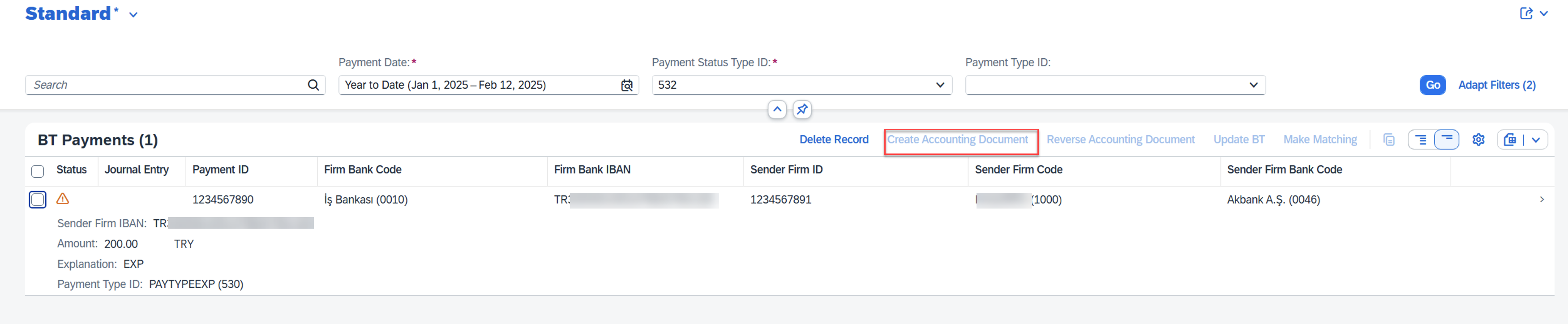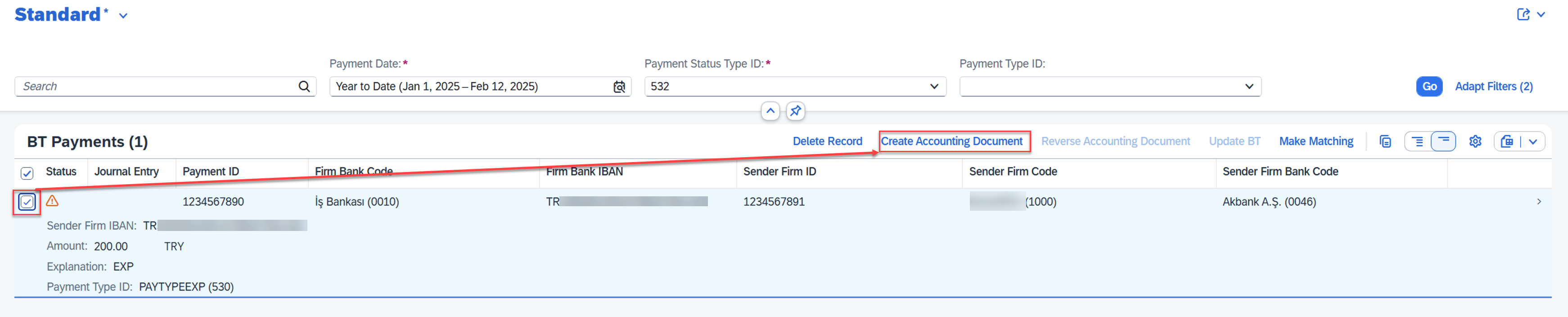

RAP – Action Button Enabled / Disabled
RAP’da oluşturduğumuz action butonları koşullara göre aktif / pasif duruma getirebiliriz.
- Oluşturulan uygulamanın Interface Behavior‘ında butonun aciton’ı belirtilir.
action ( features : instance ) createAccountingDocument result [1] $self;- CDS’in Metadata Extensions’da da ilgili action için buton tanımı yapılır.
@UI.lineItem: [{ type: #FOR_ACTION, dataAction: 'createAccountingDocument', label: 'Create Accounting Document', invocationGrouping: #ISOLATED, position: 10 },- Action buton kontrolleri, class içerisinde get_instance_features metodu içerisinde yapılır.
Aşağıdaki örnekte, örnek uygulamada listelenen verilerin(ZR_BTAll), seçilen satırın AccountingDocument verisinin koşulana göre createAccountingDocument butonunda değişiklikler yapılmaktadır.
Örnek kodda, listelenen veride seçilen satırın AccountingDocument verisi boş ise createAccountingDocument butonu enabled, dolu ise disabled olacak şekilde kurgulanmıştır.
    READ ENTITIES OF ZR_BTAll IN LOCAL MODE
       ENTITY BTAll
       ALL FIELDS WITH CORRESPONDING #( keys )
       RESULT DATA(bt_all).

    LOOP AT bt_all REFERENCE INTO DATA(bt).
      APPEND INITIAL LINE TO result ASSIGNING FIELD-SYMBOL(<result>).
      <result> = VALUE #(
          %key              = bt->%key
          %features-%action = VALUE #(
              createAccountingDocument  = COND #( WHEN bt->AccountingDocument IS INITIAL
                                             THEN if_abap_behv=>fc-o-enabled
                                             ELSE if_abap_behv=>fc-o-disabled ) ).
    ENDLOOP.